
Skip to content

The QR and the 5 steps

One QR in your book, five steps, a living chapter.

A QR code in your book opens every chapter on the phone, with your voice reading it, your video and your offer right where it fits. You see who reads, where they stop, and what they click.

Try for freeTalk to our team7 days free, card required · nothing to pay today · cancel anytime

From book to business in 4 steps

  1. 1 BookYour book, printed or digital
  2. 2 QR scanInstant access to the interactive content
  3. 3 ExperienceVideo, audio, exercises and more
  4. 4 BusinessMore engagement, more opportunities

One physical product becomes an ongoing digital relationship.

How it works

A QR code in the printed page opens the living one.

Add video and audio to your printed book with nothing to reprint and nothing to install. Your readers already know how to scan a QR code.

  1. Step 1: Your QR, in your style.

    A QR in your brand colours, with your logo, ready to print. And one QR per channel, so you know where your readers come from.

    • Your colour, or back to your brand colour in one click Your colour, or back to your brand colour in one clickType any colour. A very light one can fail to scan, so scan it with your phone before anything goes to print.
    • Your logo in the middle
    • Download it as a PNG at print resolution
    • A tracked link and QR for every channel A tracked link and QR for every channelInstagram, your newsletter, an event: each gets its own link, and your analytics show which one brought each reader.
  2. Step 2: Your QR goes in the book

    On the copyright page, at the end of a chapter, or on a sticker for copies already printed. In your digital edition and on social media it's a link.

  3. Step 3: The reader scans it

    With the phone's own camera. The book opens in the browser, in seconds, with no app and no account to create first.

  4. Step 4: The chapter comes alive

    Your narration (6 AI voices to choose from), your video, an exercise, and the offer that belongs in that chapter.

  5. Step 5: You earn twice.

    From the printed copy you already sell, and from the living book inside it. Sell the living book as a digital copy, or give it away and build a list of readers who chose to hear from you. Your course, your call or your next book then sells from inside the chapter.

Watch the film

What happens when a printed book starts talking to the person reading it.

AI-generated video

Your book is already written. Let it keep working.

Try for freeTalk to our team7 days free, card required · nothing to pay today · cancel anytime

Build your interactive book

From a still book to a living one, in minutes.

Three steps. No designer and no developer.

Even when the video lives on YouTube or Vimeo, your reader stays inside your chapter. It plays right there, with no trip to another site.

Who it's for

Made for people with something to say, and something to offer.

  • Coaches
  • Consultants
  • Personal trainers
  • Chefs
  • Wellness professionals
  • Speakers
  • Teachers
  • Entrepreneurs
  • Spiritual guides
  • Financial educators
  • Course creators
  • Non-fiction authors
  • Publishers
  • Sell a course
  • Book calls
  • Grow your email list
  • Launch your next book
  • Build a community
  • Sell a product

Traditional book vs X-Live book

Traditional book
Who reads itAnonymous buyers.Readers you see, and can reach if they opt in.
What's insideText on paper.Text plus your video, voice and exercises.
What you sellOne copy.The book plus your course or coaching.
What you learn about readersSales numbers only.Who reads, how far, where they stop.
UpdatesReprint a new edition.Edit a chapter, live instantly.

No book yet? We'll write it with you.

Talk to our teamOr write it yourself with Paige

AI video · Studio

A video for your chapter, made from its own words.

Press Create with AI in the chapter's video slot. Start from the chapter's text or from your cover, preview the clip, and insert it.

  • Studio includes 10 AI video credits a month (about 50 seconds), shared across your books

  • A credit is 5 seconds of video, counted only once the video is delivered
  • Need more? Credit packs, valid for 90 days

Chapter video

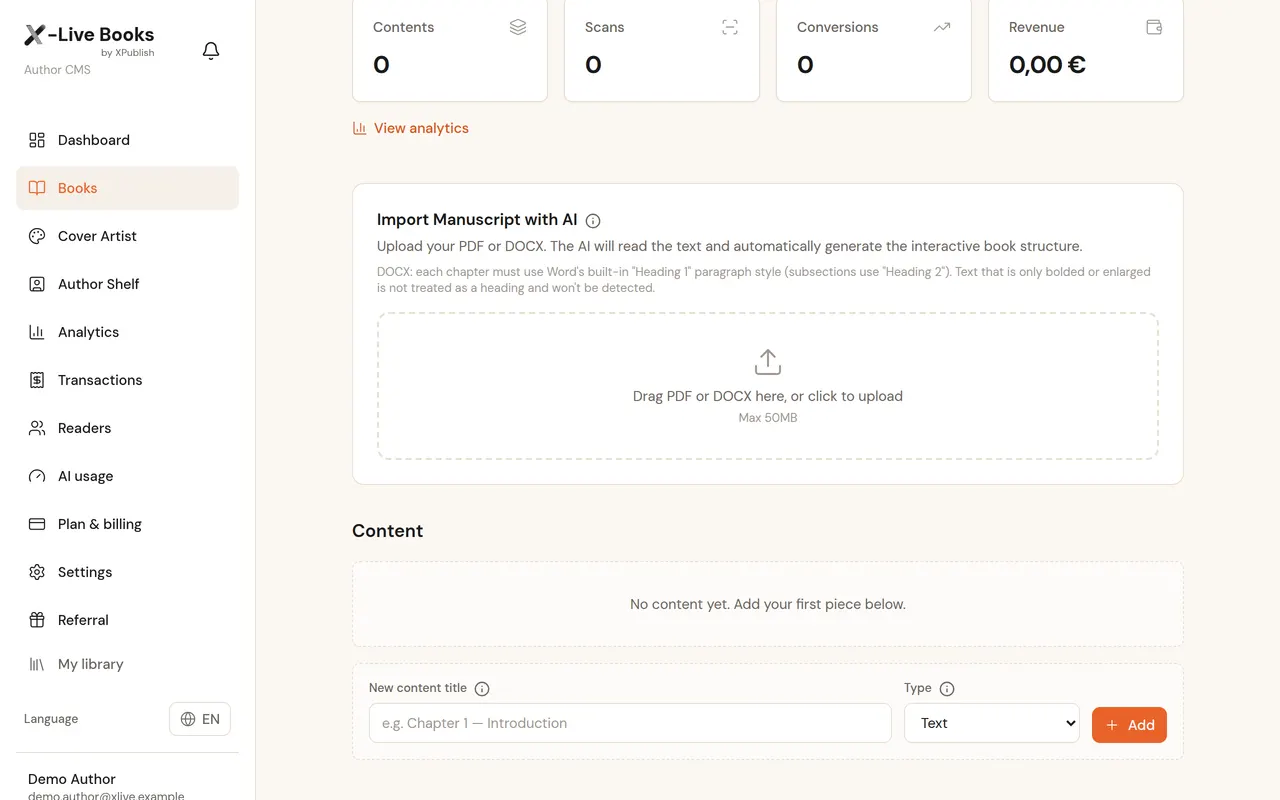
  • The CMS: the manuscript uploaded, ready to find its chapters
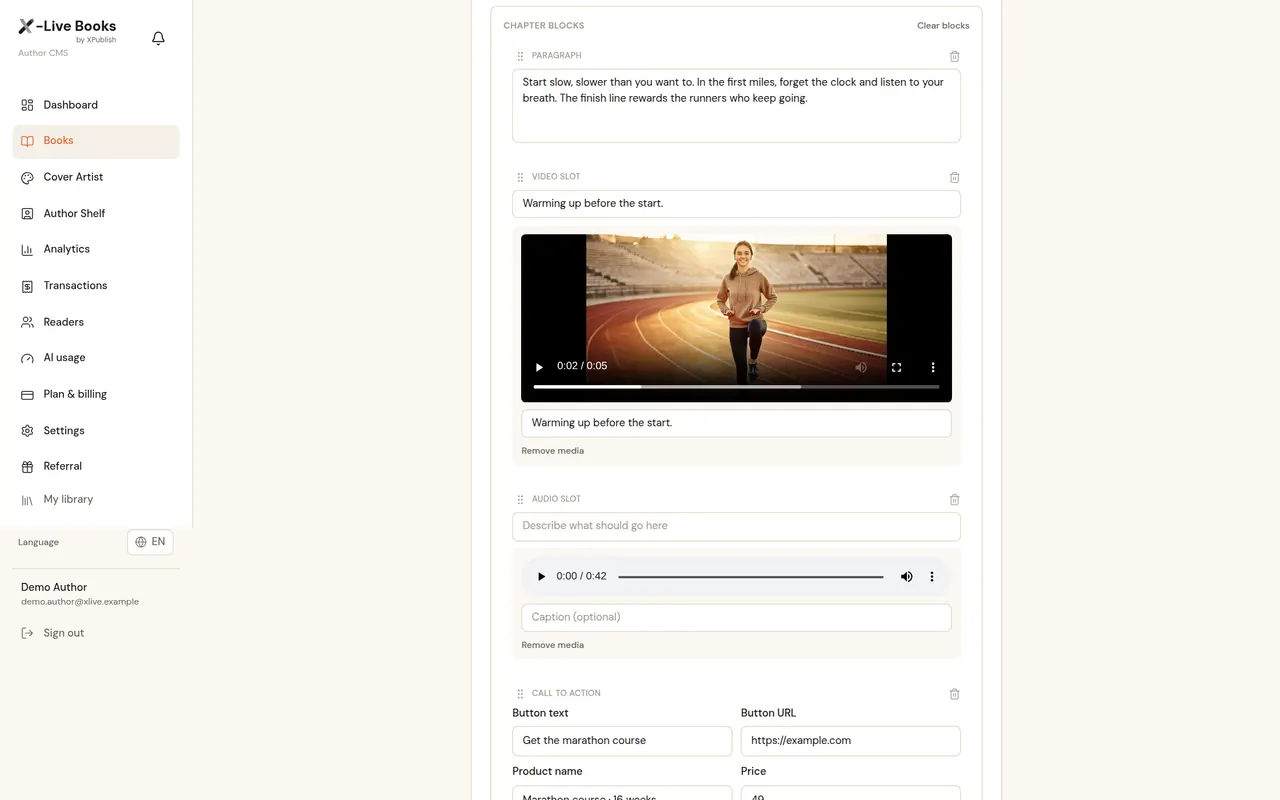
  • A chapter in the editor with its video, narration and the author's offer
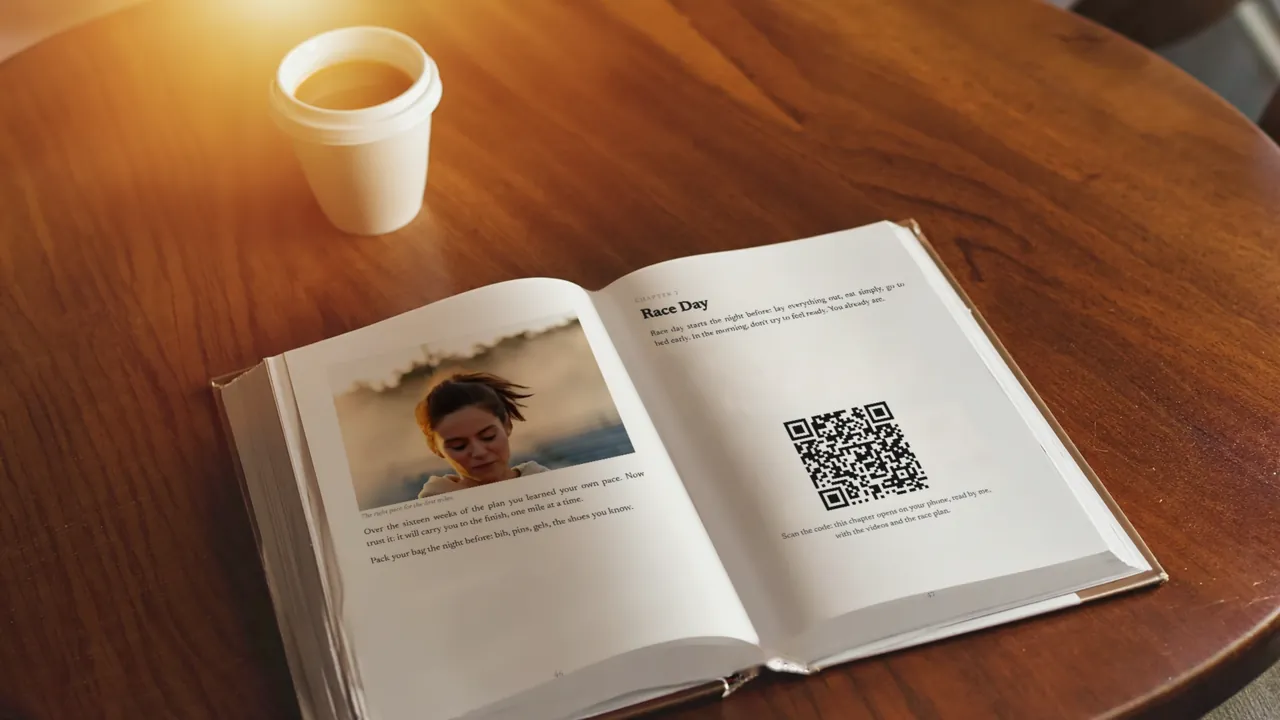
  • A printed book open at a page with its QR code

Questions

Where does the QR code go?
On a page of your printed book. The reader scans it and the chapter opens on their phone, with your voice, your video and your offer.
Do readers need an app?
No. The chapter opens in the phone's browser, with no app and no account needed to start reading.
Do I have to reprint my book?
The code has to be on the page, so it goes into your next printing. Until then you can share the link to the same book.

Pricing

One flat subscription.

You keep 100% of every sale.

Compare every plan, line by line

Custom

For agencies, publishers and teams who want it handled.

  • Done for you — we write, design and publish your interactive book
  • More book slots than Studio, set to what you actually need
  • Custom packages for agents and businesses
  • Direct support from our team

Contact team

Questions? Ask me, or talk to the team.